
Tools and agents
The chat gives the model nine tools, all on by default (Settings). The tools run in the browser: the server only sees the model decide to call one and, on the next request, the result. That makes the Playground an agent loop you can watch: a turn streams a reply, runs the calls it made, sends the results back, and goes on until a reply calls nothing, up to Tool rounds replies. A call to a tool the model was not given is shown under Unknown tools with its arguments, and not run.
Agents
Section titled “Agents”With Agents on, the model can hand sub-tasks to subagents. Each one is its
own request, on an agent lane (class: "agent"), and up to eight run in
parallel on the server’s decode lanes, while the conversation keeps its own.
The answers go back to the model, which writes the final reply. Agents get the
other tools that are on, except asking you, the plan and pictures.
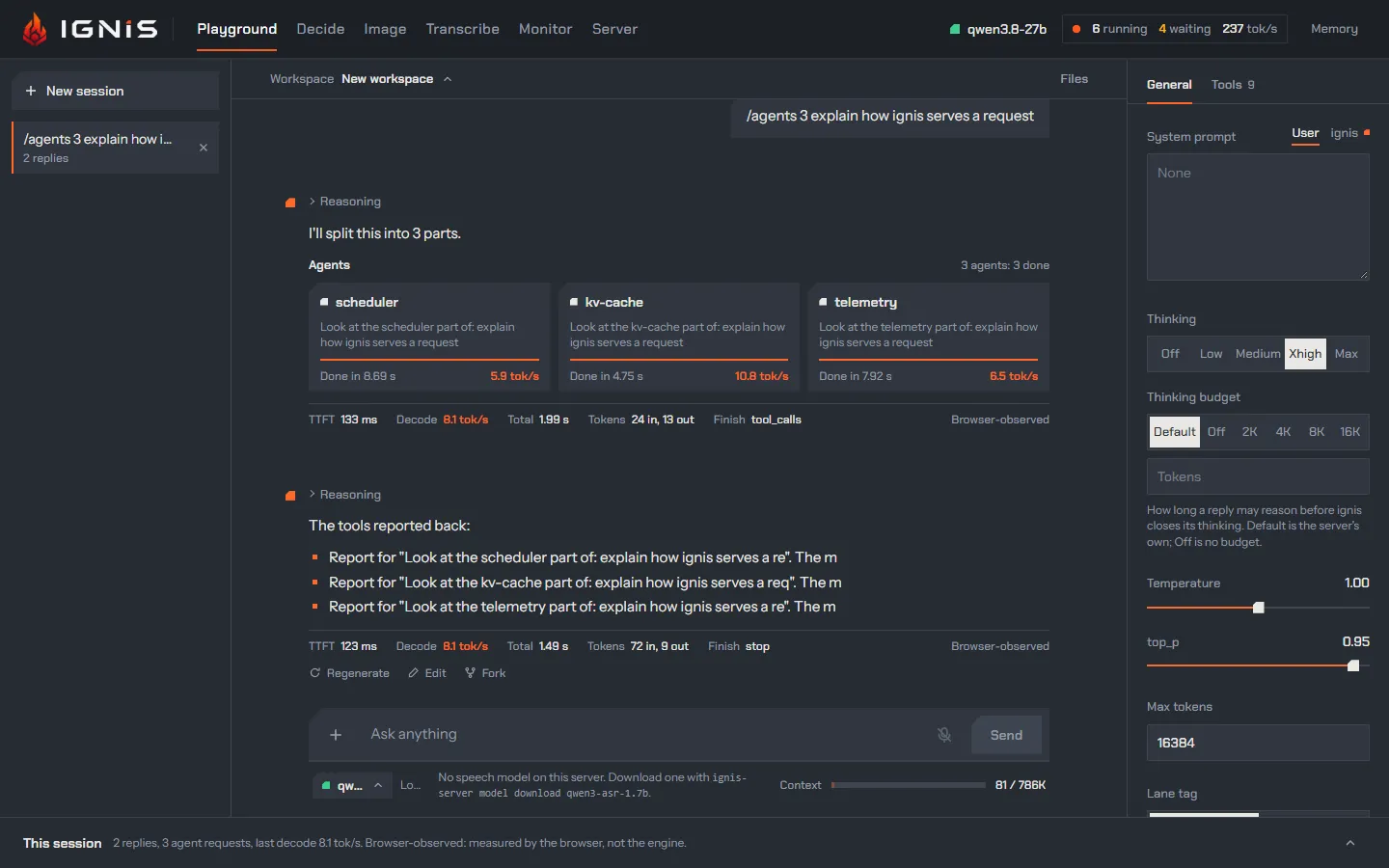
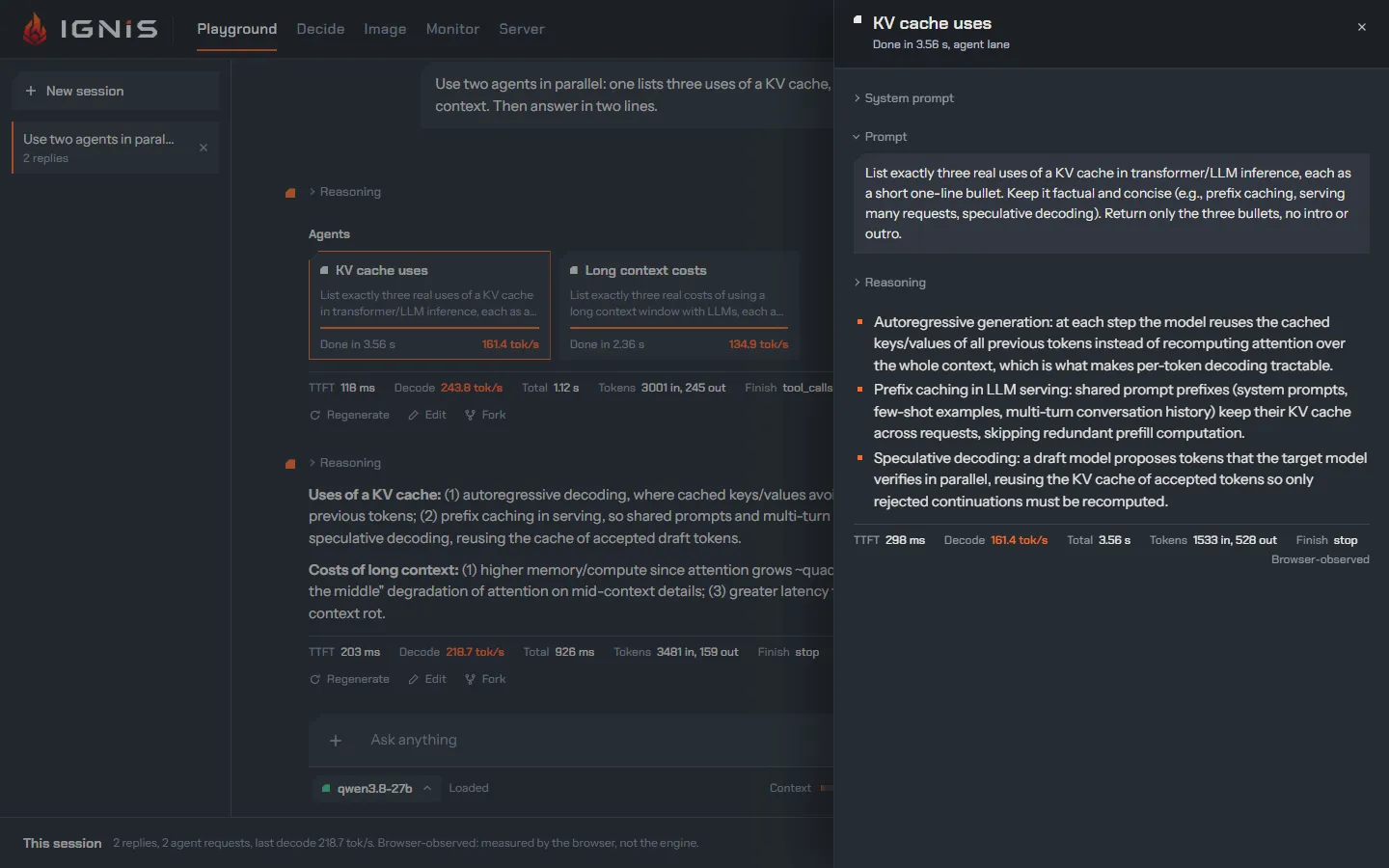
The Agents section shows a card per agent: its name, its task, a heat bar
while it runs, then Done in <time> and its decode rate. Click a card to open
the agent reader: its system prompt, its task, its reasoning, the tools it
called, its answer and its own figures. The session log gets a row per agent
request, tagged agent <name>.
This is the load ignis is built for: one main conversation and a burst of subagents on one card. Why the burst does not push the conversation out: Lanes that know who is asking and One round for every lane.
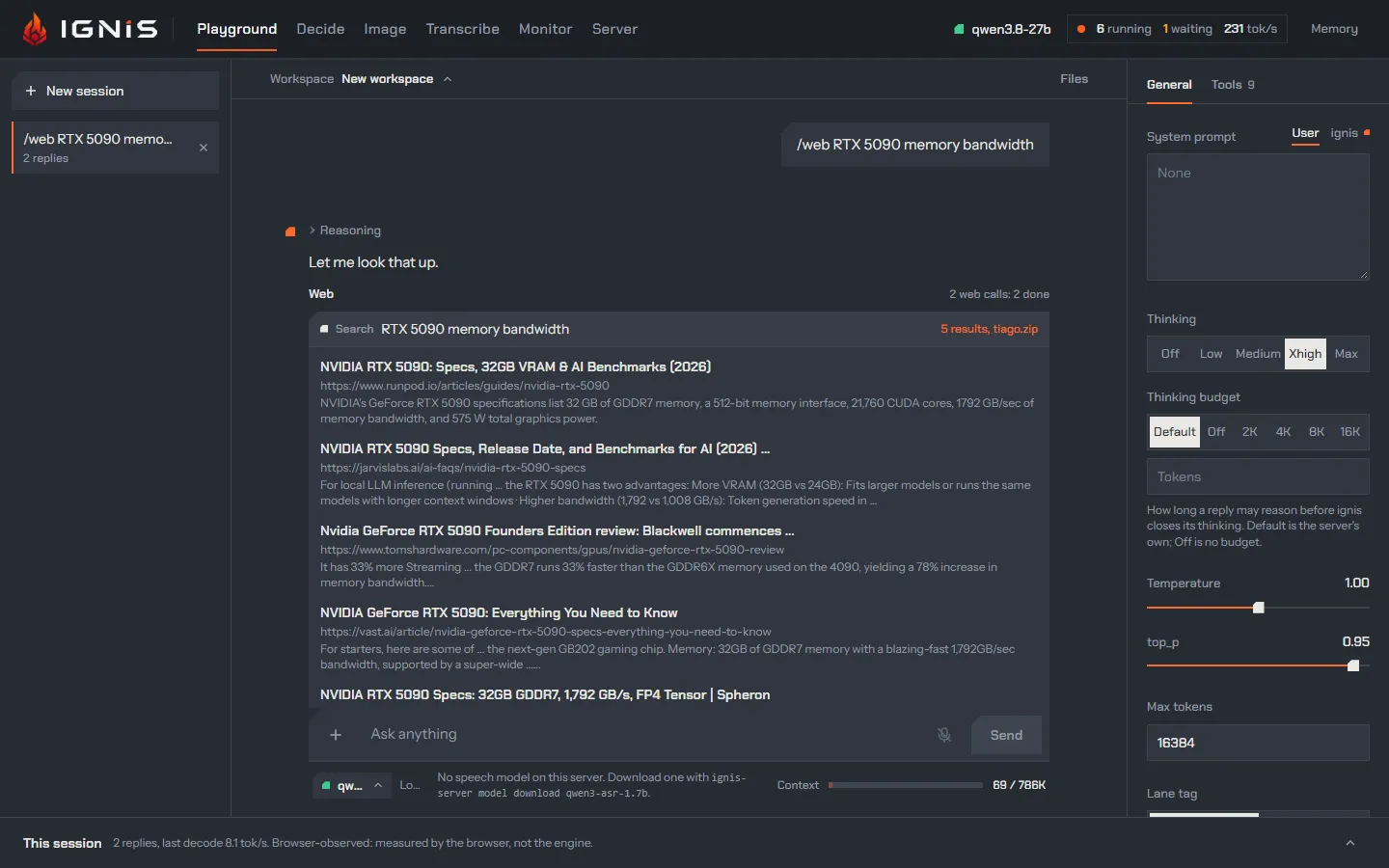
Web lets the model search (five results) and read pages (the first 20,000
characters). The calls run from your browser, not from the server: with a
Tavily API key (typed under the Web switch, kept in this browser and sent only
to Tavily) searches go to Tavily; without one they go to search.tiago.zip,
then to DuckDuckGo Lite through r.jina.ai, and pages are read through
r.jina.ai. ignis takes no part. Each call is a row under Web you can
open: the results with their links, or a preview of the page.
Ask me
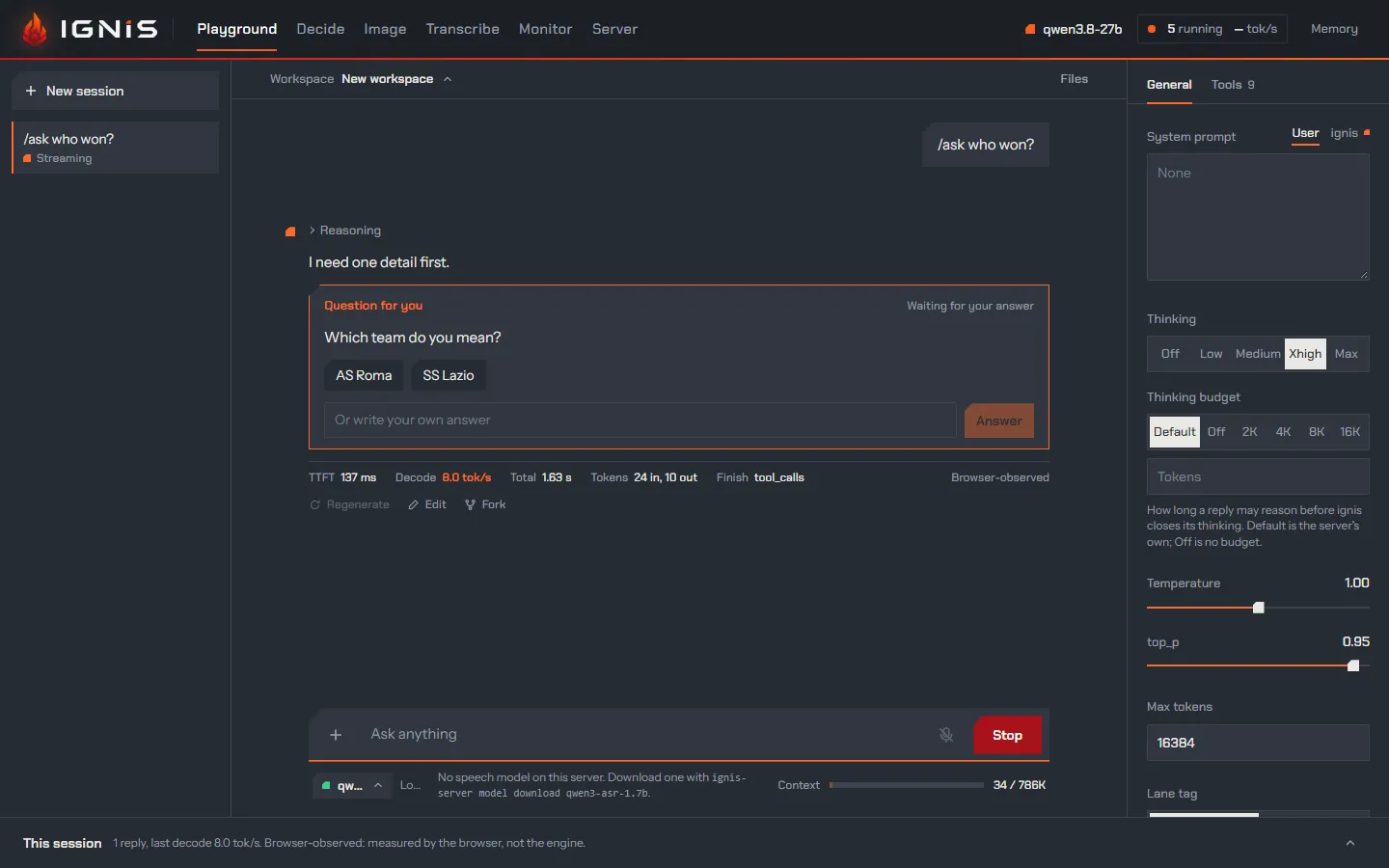
Section titled “Ask me”Ask me lets the model stop and ask you something, with answers to pick or your own. The turn waits under Questions until you answer, then goes on. Only the conversation asks; agents do not.
Date and time
Section titled “Date and time”Date and time writes the day, date, time and time zone into the ignis system prompt once per session. It is frozen on purpose: a prompt that changes every turn could not be reused from the server’s cache. Update every prompt sends the moment of each turn in its turn notice, after the conversation, instead.
Run JavaScript
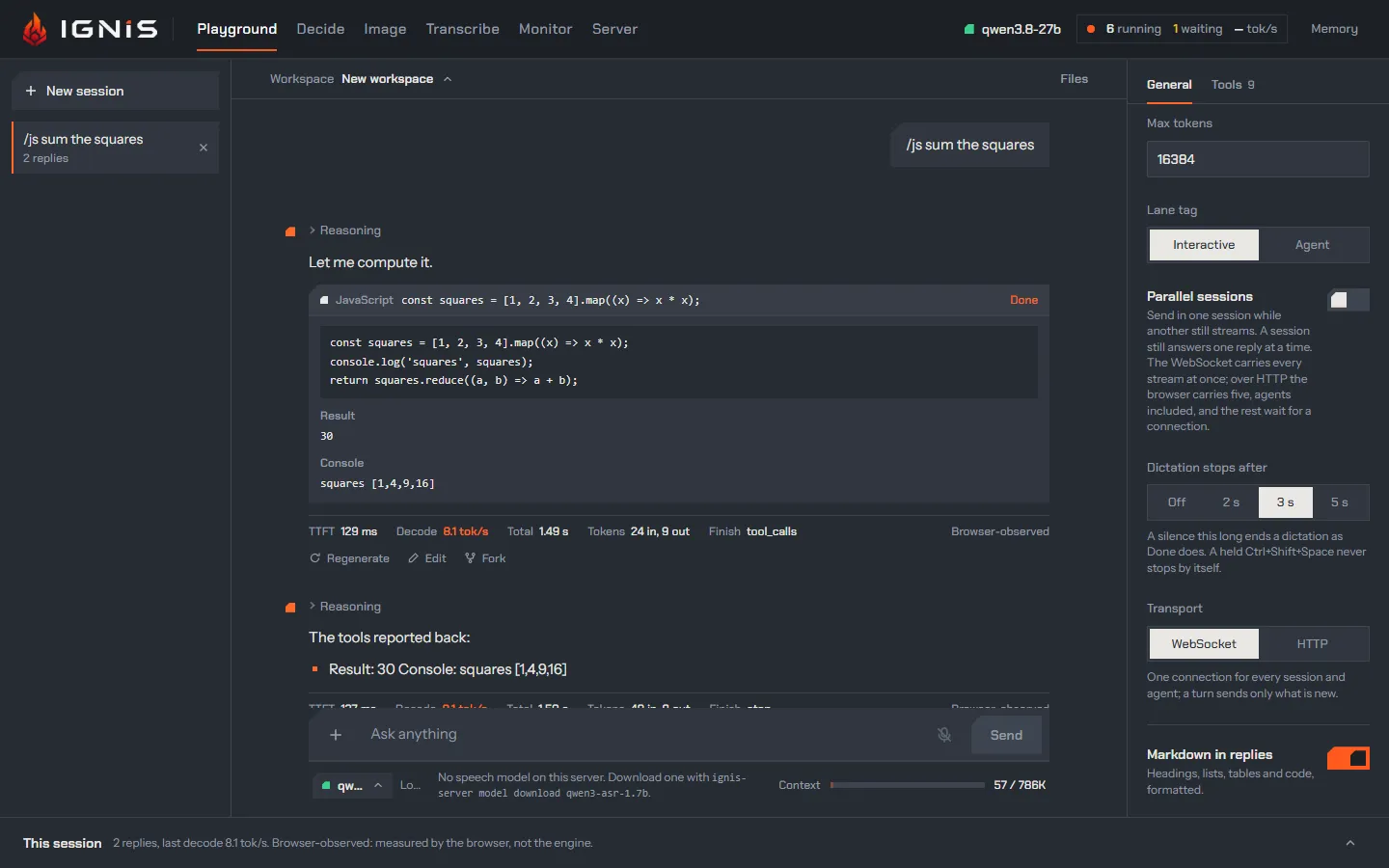
Section titled “Run JavaScript”Run JavaScript gives the model a sandbox for exact results: a Web Worker with no network, no page and no storage, a 10 s limit and 10,000 characters of output. With Safety check on (the default), a request on an agent lane reviews each piece of code first, greedy and without thinking, and code it does not call safe is blocked. A row under Tool calls shows the code, the check’s verdict, the result and the console.
Plan lets the model keep a checklist of its steps in the reply, updated as it works: done, in progress, pending.
Memory
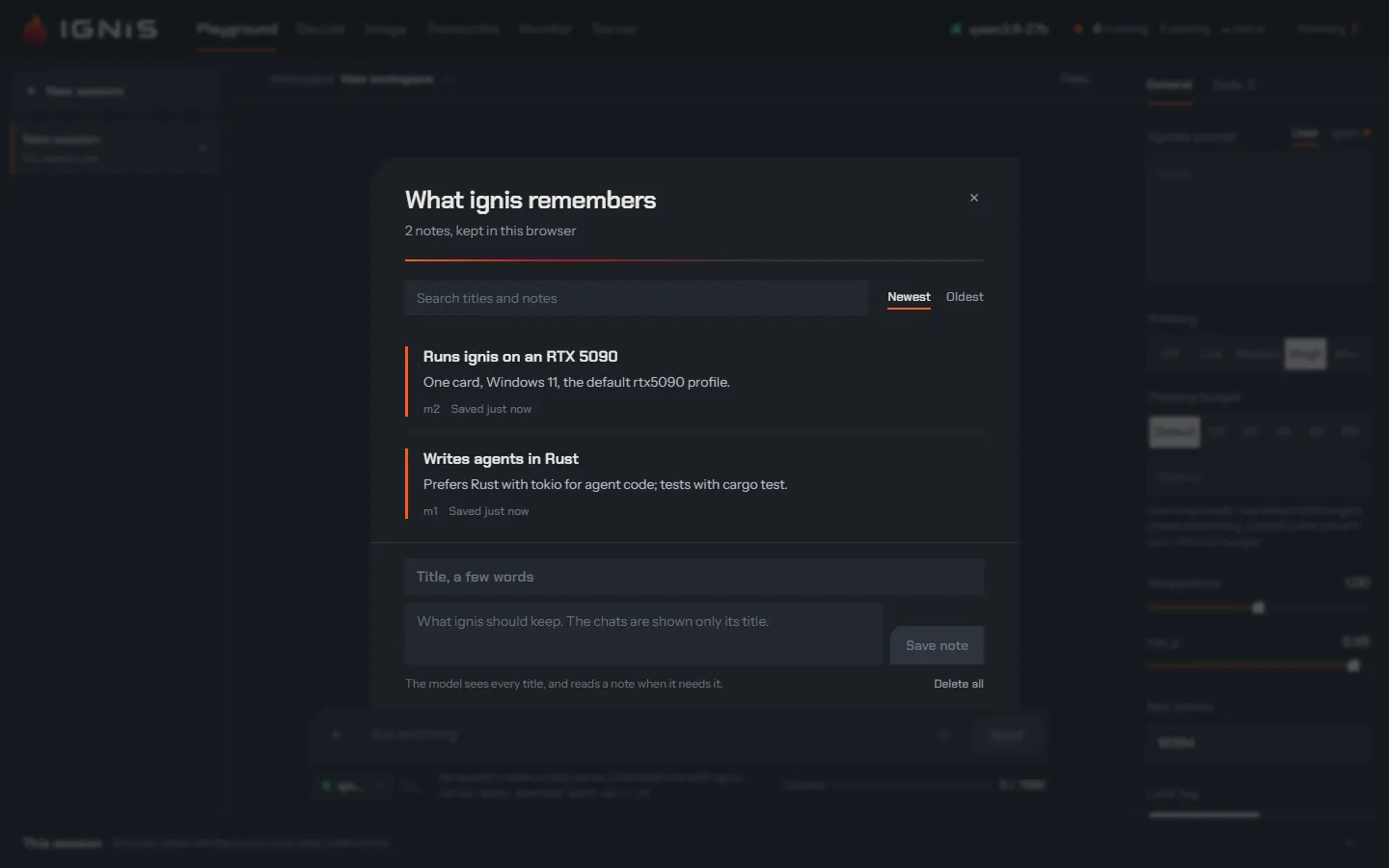
Section titled “Memory”Memory lets the model save short notes about you in this browser, each a
title and a body, shared by every chat. The model sees the titles in the
turn notice: every one at a chat’s first prompt, and later
only the notes you or another chat saved, changed or deleted since. It reads a
note’s body with memory_read when it needs it. Memory in the header opens
the notes: search them, edit them, delete them, or write one yourself. They
live in this browser’s localStorage, never on the server.
The turn notice
Section titled “The turn notice”The ignis system prompt and the tools block are the same in every chat, whatever the memory and the workspace hold, so the server reuses a conversation’s prefix instead of prefilling it again (when reuse misses). What changes from turn to turn rides in the turn notice instead: a developer message the page puts right before your prompt, after the conversation so far (ADR 0072).
- At a chat’s first prompt it lists the titles of the memory notes, newest kept first up to 4,000 characters, with a line counting the older ones left out.
- At a later prompt it lists only the notes saved, changed or deleted since
the last notice by someone other than this chat: you, from Memory in the
header, or another chat. What this chat’s own
memory_saveandmemory_deletecalls did, its agents’ included, is not repeated to it. - With Workspace on, the files of the
chat’s workspace follow the notes. At a
chat’s first prompt, a chat you bound to a workspace with the picker
included, it lists each file with its kind and size, as
list_filesgives them; the files changed last are kept first up to 4,000 characters, with a line counting the others. - At a later prompt it lists only the files created, changed, renamed or
deleted since the last notice by someone other than this chat: you, in the
workspace panel (a save in the editor, an
upload, a restore, a rename, a deletion), or another chat working in the
same workspace; a workspace you delete reads as its files deleted. What
this chat’s own calls wrote, edited, deleted or read, its agents’ and
make_image’s included, is not repeated to it. - After you move the chat to another workspace, the next notice says so: it names the workspace the chat left, or says it was deleted, and that its files are no longer this chat’s, then lists the files of the one it works in now as a first prompt does. After a move to New workspace it says the chat has no workspace. The prompts after it hear only others’ changes again, and a move made while Workspace is off is told at the first prompt with the switch back on. The workspace it names is the one whose files the model was last told of: two moves before a prompt are told as one, out of that workspace, and a chat that was never told a file of the one it leaves hears no move, only the new workspace’s files as created. A fork is told the move out of the workspace its own messages knew.
- A file the prompt attaches is not in its notice, since the prompt names it
(
[Attached to the workspace: brief.pdf]), and later notices count it as told. With Workspace off the notice names no file. - With Update every prompt on, it carries the moment too, ahead of the notes.
- A prompt with nothing to tell carries no notice.
A notice is kept with its prompt, in the chat and across a reload, and every
later request sends it again byte for byte; what it told is kept with it, so
the next notice after a reload tells only what changed since. A chat saved
before the notice sends the moments its prompts carry as it always did, and
its next prompt hears every title and every file. An agent gets every title
in a notice ahead of its task and, with Workspace on, every file of the
chat’s workspace, as a chat’s first prompt hears them.
A server whose
--server-developer-message-policy joins or gathers developer messages
(into-system, after-system, one-after-system,
prompting) loses the reuse for it, as it does
for the moment.
Workspace
Section titled “Workspace”Workspace lets the model work on the files of the chat’s workspace, with five tools, declared whenever the switch is on, whether the chat has a file yet or not:
list_files: each file’s name, kind (text, PDF, picture, audio or other), size, last change and who made it: you, the chat itself, one of its agents, or another chat.read_file: a text file as numbered lines, a range at a time (offsetis the first line,limitthe most lines), up to 20,000 characters a call; a PDF reads as its text, and an audio file as its transcript, the same way. A PDF’s text and a transcript are computed on the first read of a version and kept with it; a transcript comes from the server’s speech model, and without one the call answers why (audio in the workspace), the model still free to delete the file. A picture comes back as the picture itself when the loaded model has vision (below). A file of a kind it cannot read answers with its kind and size.write_file: creates a text file or replaces it whole. A name may hold/for folders, as insite/index.html, and is unique in its workspace.edit_file: replaces one passage of a text file (old) with another (new), so that a small change to a large file costs little. The passage must occur exactly once: one that occurs nowhere, or several times, is refused, and the refusal says which, with the lines where it occurs.delete_file: deletes a file. It leaves the workspace’s list, and its history keeps it.
Every write, edit and deletion is a new version of the file, with its author
and time; the earlier versions are kept, and a deletion is a version that
marks the file deleted. The model’s first file creates the workspace. Agents
get the same five tools, each as a reader of its own
(below). A file you attach with File in
the prompt box becomes a file of the workspace when the prompt is sent, and
the prompt says so after your words: [Attached to the workspace: brief.pdf].
A picture you attach or paste goes with the prompt as it always did and
becomes a file of the workspace too, named the same way. You see the files,
and add, edit, rename, delete, download and restore them, in the
workspace panel.
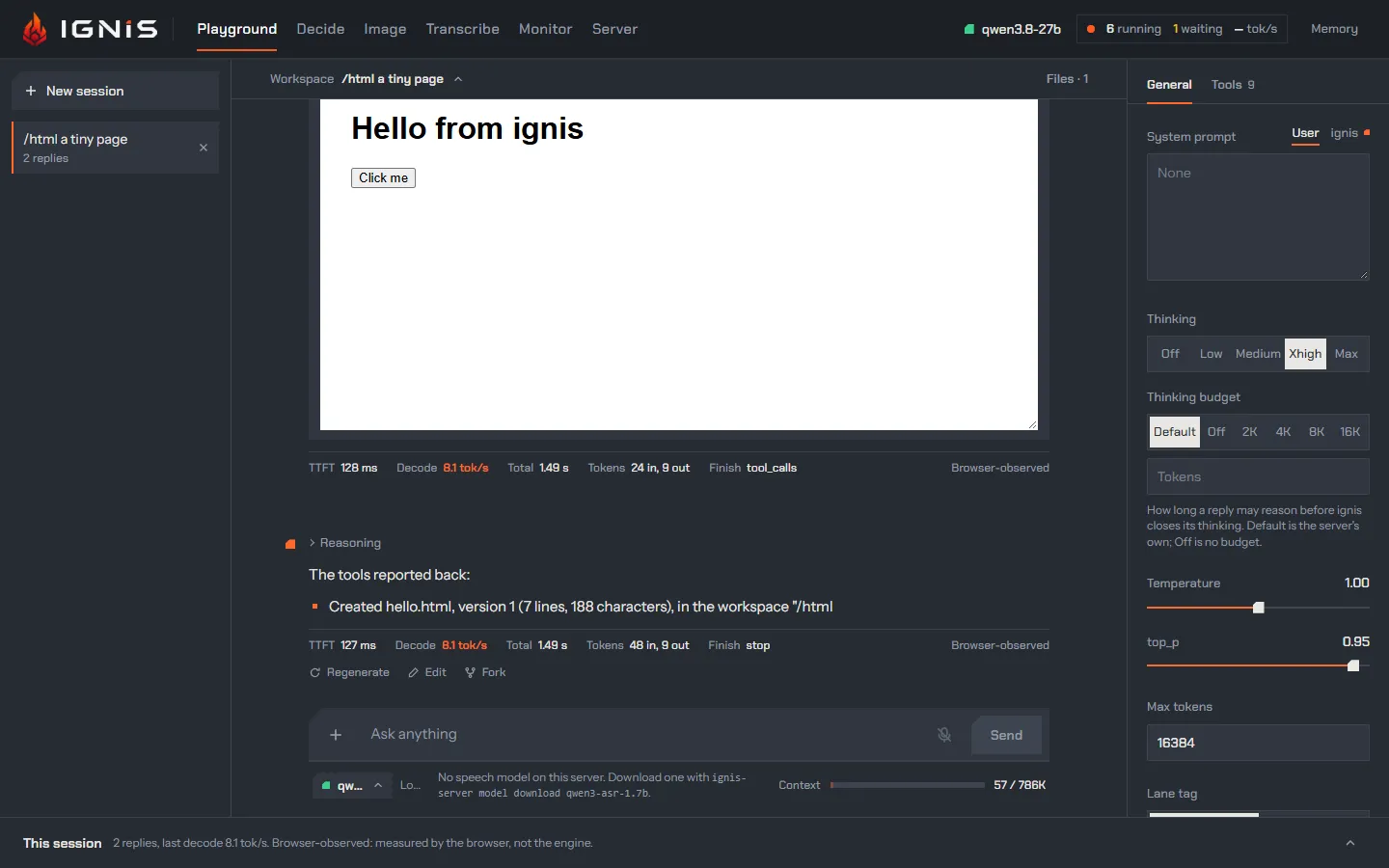
A file the model writes or edits shows in its reply as a card: its name, the version that call made, its size, Preview and Download; a deletion is a row naming the file. An HTML file opens on a live preview in a sandboxed frame (scripts run, no access to the page), with its source, Save as PDF and a full-screen view at desktop, tablet or phone width.
The ignis system prompt’s workspace part and the five tools are the same in
every chat, whatever the workspace holds and whatever you attach, so a file
never changes the head of the prompt (the turn notice).
With the switch off the model has no workspace tool, the turn notice names no
file, and File leaves the prompt box’s + menu; pictures can still be
attached, sent with the prompt alone, the pictures make_image makes stay in
its reply as they did before workspaces, and the files stay in this browser.
Pictures the model reads
Section titled “Pictures the model reads”When the loaded model has vision, read_file on a picture returns the picture
itself as a part of the tool’s output, ahead of a line that names it: its
version, its size in pixels and in bytes, and the size it is shown at. The page
redraws it as it does a picture you attach, as a JPEG at most 1,568 pixels on
its long edge, so reading a picture costs no more than attaching it. The redraw is
kept with the call’s result, and every later request sends the same bytes: an
image_url part on the tool message over chat completions, an
input_image part of the function_call_output over the Responses socket.
Its row in the reply reads Read name, seen. Agents read pictures the
same way.
Without vision, read_file answers with that line alone, the picture’s name,
its size in pixels and in bytes, and says that the model has no vision: with
vision off the server refuses any request that holds a picture
(vision_disabled, vision), so the page never
sends one on a guess. It learns whether the model has vision from the
server’s running configuration, the loaded family’s vision.enabled in
GET /v1/config, read again after every switch, make_image’s visit to the
image model included; until that read has answered, the model has none.
Changes the model has not seen
Section titled “Changes the model has not seen”The model never overwrites a change it has not seen. Each reader, the chat
and each of its agents apart, has the version of each file it last read or
wrote, and its write_file over an existing file, its edit_file or its
delete_file is refused when the file is at another version now: you changed
it (a save in the editor, a
restore), another chat working in the same workspace did, or another agent did. The
refusal names the file, says who changed it, and tells the model to read it
again; the model reads it, and makes its change on what the file holds now.
- A file the reader never read is refused the same way, a file you attached included: the model reads it before it rewrites or deletes it.
- A reader’s own write counts as its read: the model edits a file it just
wrote without reading it back, and deletes a picture its
make_imagecall just made in the workspace. - A new file has no guard, and a deleted file the reader never knew is a new file to it: writing it makes its next version. A file deleted since the reader read it is refused until the model reads it again.
- A read counts for the file it read, in that file’s workspace: once the chat moves to another workspace, the model has read none of the files there, one named as a file it read in the workspace it left included, and the agents of its later turns work in the new one.
- A chat’s reads go with the replies that made them, kept with the chat: they hold across a reload, a fork has read what the turns it copies read, and a reply regenerated, or a prompt edited and sent again, leaves out the reads of the replies it drops. A reply that failed, which no request sends back, counts no read either.
- An agent starts having read nothing, whatever the conversation read, and its reads end with its run.
- Your own changes are never refused.
Pictures
Section titled “Pictures”Pictures lets the model make and edit pictures with the image model. The
page switches the server to the image model, makes up to four variants per
call, and switches back to the text model before the next request: each reply
that makes a picture costs two model loads, about half a minute on an RTX
5090. The model is told each picture’s name (made-1, or user-1 for one you
sent), size and seed, not what it looks like.
While the Workspace switch is on, each picture lands in the
chat’s workspace as a file authored by the
chat, born for it if the chat had none: made-1 is made-1.png, or
made-1 (2).png when the workspace already holds that name. The model is
told the file’s name, so it can read the picture back with read_file when it
has vision, and a later call that edits made-1 sends the version that call
made, read from the workspace. The reply shows the picture
from the workspace with its file’s name under it, never from a copy kept in
the message. Once the workspace is deleted the reply says the picture is no
longer in it, and a call naming it fails, saying so. When the browser refuses
to store a picture, the reply keeps it as before, says Not saved in the
workspace, kept in this reply with the browser’s reason, and the model is
told why (when the browser refuses).
The pictures of a chat saved before workspaces show as they did.
A picture can be marked, opened full screen, downloaded, or opened in the Image studio. Agents do not get this tool. The weights are for non-commercial use only (images).
Read more
Section titled “Read more”- Chat: the reply these sections live in.
- The Responses API over a WebSocket: why a burst of agents is not held to the browser’s connection limit.