
Everything in one binary
A serving engine is only as useful as the things around it: a way to try a
prompt, a way to see what the card is doing, a way to fetch the weights, a way to
change a setting. In ignis those are in the same ignis-server binary, started
with the same command. There is no second service to deploy for the UI, no
exporter to attach for metrics, and no script to download the model. Every
setting is one declaration that is a flag, an environment variable and a file
key at once.
How it works
Section titled “How it works”The Playground. A React app embedded into the server at build time and served
at /ui/: chat with tools and subagents, parallel sessions, image input, the
Image studio, the Decide tab, the Monitor and the Server view. Its sessions are
stored in the browser (IndexedDB), not on the server
(ADR 0026).
Configuration. Every option is declared once
(ADR 0046) and is a flag
--<group>-<field>, an IGNIS_<GROUP>_<FIELD> variable and a key
<group>.<field> in YAML or JSON, with per-model values and a built-in profile
for the card. GET /v1/config shows the running configuration, and
PATCH /v1/config changes it, reloading the model only for a field that needs a
reload. The reference tables are generated from the code, and cargo test fails
if they drift from it.
Counting. POST /v1/tokenize counts a chat body’s prompt as it would be
served, with its template, tools and thinking controls, without serving it.
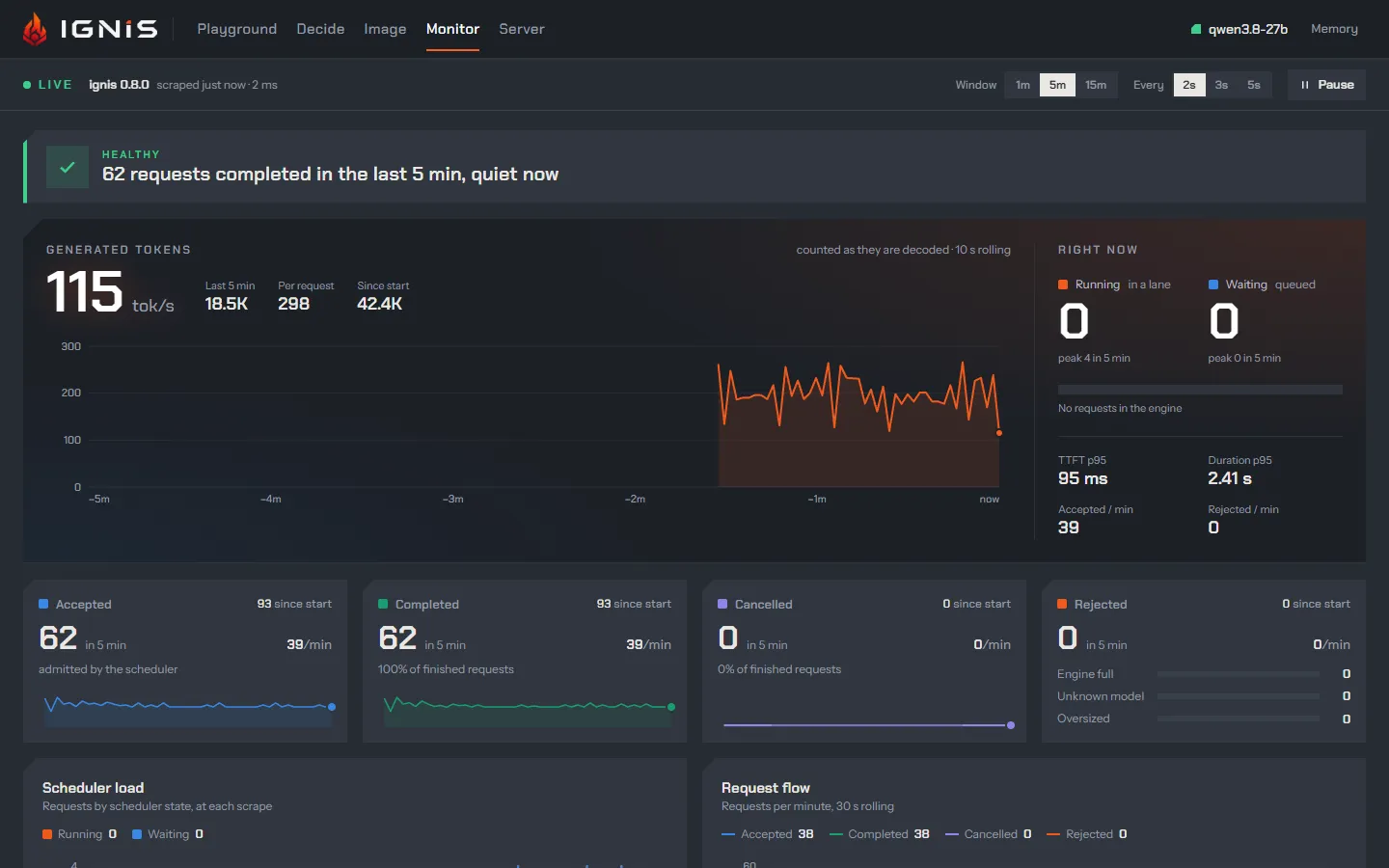
Metrics. Prometheus has its own loopback listener, keyless and on by default, and the Monitor reads the same set.
Fetching. Started with no artifact, a GPU build asks, downloads and verifies the model (ADR 0033).
Access. server.api_key takes a key or auto, which generates one and
prints it once. server.expose opens a public quick-tunnel URL and always
requires a key (ADR 0028). The
/v1 surface also documents itself at /v1/openapi.json
(ADR 0036).
Platforms. A v* tag publishes a Windows .zip, a Linux .tar.gz and a
linux/amd64 container image on ghcr.io, all compiled for SM120a.
The numbers
Section titled “The numbers”There are no performance figures here. These are the defaults:
| Piece | Default | Reference |
|---|---|---|
| Playground | on, at /ui/ |
server.ui |
| Metrics listener | on, 127.0.0.1:9464, no key |
server.metrics_bind |
| API key | unset: the API is open on localhost | server.api_key |
| Public tunnel | off; when on, a key is always required | server.expose |
| Model download | a verified catalog entry, or a mirror | download.endpoint |
See it, control it
Section titled “See it, control it”- Switch pieces off:
--server-ui false,--server-metrics false. - Print every field:
ignis-server help --fields;GET /v1/configfor the running values. - Routes:
/ui/,/v1/config,/v1/tokenizeand/v1/openapi.json. - CLI:
ignis-server model download <id>, andignis-benchfor measurements. - Metrics: the full list is in the metrics, and Telemetry and metrics shows how to scrape and read them.
- Playground: the Monitor draws the metrics live and the Server view edits the configuration.
Limits
Section titled “Limits”- A binary built without the Playground’s
web/distserves/ui/as a page that says how to build it (The Playground). - The Prometheus listener is keyless and on loopback. Exposing it is the operator’s act.
- A quick tunnel is a quick tunnel: the key is required, and
GET /v1/confignever shows it. - ignis targets
SM120a, the RTX 5090 and the RTX PRO 6000. It does not run on a DGX Spark (DGX Spark).
Read more
Section titled “Read more”- Playground, metrics, access: the three switches in one place.
- Counting a prompt:
/v1/tokenize. - Install: the archives, the image and the checksums.